Button 120x90


Sound
Help For Internet Phone
|
|
Button 120x90 |
|
|
|
||
|
|
||
|
Sound
Help For Internet Phone
|
 |
HEALTH
WARNING
|
|
|
If You Are Using
A headset Do The Test with the Headset on Your Desk.
Do Not Put It On In Case Your
Sound Is Set To Maximum Or You Risk Damage To Your Hearing
|
|
Step 2. Testing Your Sound Equipment |
||
| Test Your Speakers Click Here To Play A Sample Midi Tune On Your Speakers | ||
|
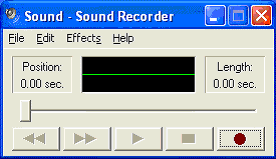
If you Can Hear the midi song playing You Can You Now use the Sound Recorder utility to make a test recording. Click Start /Programs /Accessories /Entertainment /Sound Recorder and the screen on the right should appear |
 |
|
|
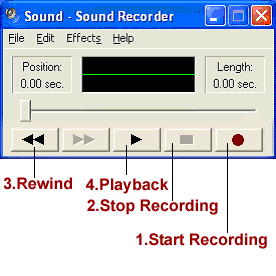
Step 3. Record And Playback Your Test Click File/New
. |
|
|
|
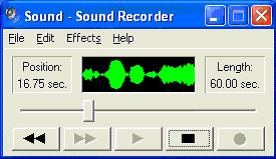
It will be self evident from the Sound Recorder display if you're recording successfully.If You are hearing Yourself You are Ready To Use Skype. To Reread these instructions click the Skype Help Button. To Download Skype Click the Download Button and you will be Transferred to the Skype Download Page. |
 |
|
  |
 |
|